Right-mouse click
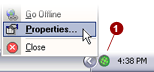
on the PlanetDNS Client icon  in the system tray and select Properties...
Click on the Time
 tab.
tab.
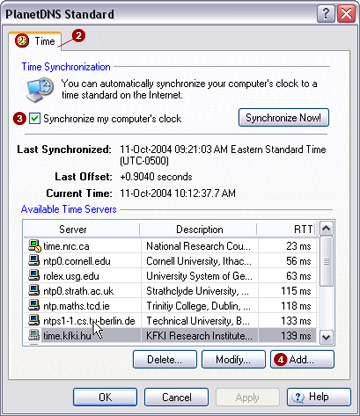
Check mark the Synchronize
my computer's  clock option.
Click the Add
 button. The Add or Modify dialog will appear as shown
below:
button. The Add or Modify dialog will appear as shown
below:
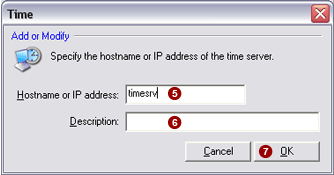
Enter a hostname or
IP address in the Hostname or IP Address
 field.
Enter a short description
or name of the time server in the Description
 field.
Press the OK
 button to complete the process.

