 |
In Expert mode, PlanetDNS Client displays
all the tabs and options, while only a select number are visible in Novice
mode. To display more tabs than presented in the default Novice mode setting,
follow the steps below.
Configuring tabs for novice users
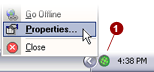
Right-mouse
click on the PlanetDNS Client icon  and select Properties... and select Properties...
Cick the Settings
 tab. tab.
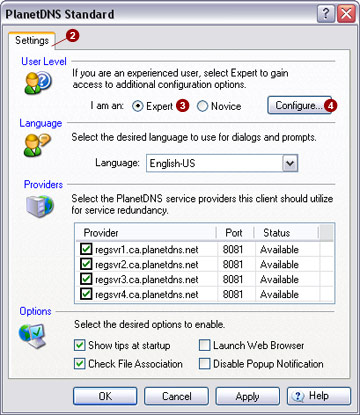
Select the
I am an Expert  option. option.
Press the Configure...
 button. This will bring up the Configure
Tabs... dialog shown below: button. This will bring up the Configure
Tabs... dialog shown below:
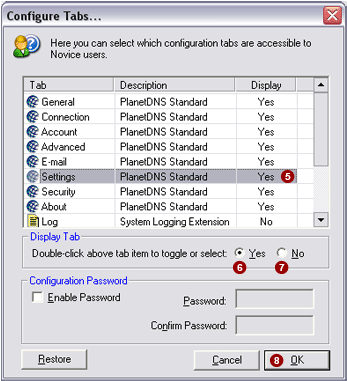
From the list, click
once on the name of a tab  you want novice users to have
access to. you want novice users to have
access to.
Select the Yes
 option to show the tab, or select the No option to show the tab, or select the No
 option to hide the tab in Novice mode. option to hide the tab in Novice mode.
Continue steps 5 and
6 for each tab in the list.
When finished, click
the OK  button. button. |
|
