 |
|
 |
| |||
|
| |
|
|
|
| |||
|
| |
|
You can password protect PlanetDNS Client, which requires users to enter a password before gaining access to the software properties.
Password protecting the software properties
The next time a user wants to access the software properties, a password dialog will appear. In order to see the software properties, the user will have to enter the password established in Step 6 above.
|
|
|
Copyright © 2004 PlanetDNS. All Rights Reserved. |
|
 in the system
tray and select
in the system
tray and select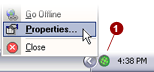
 tab.
tab.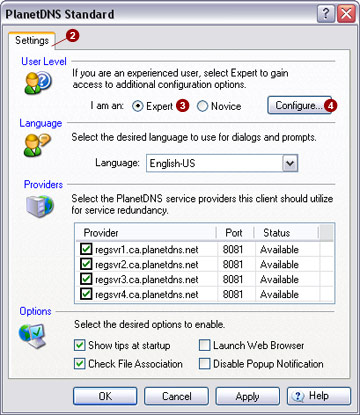
 option.
 button. This will bring up the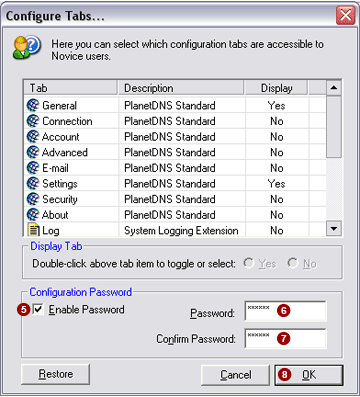
 check box.
  field.
 field.
 button.