 |
After a new installation of PlanetDNS Client is completed, the
software will automatically launch the Internet Name Wizard. The Internet
Name Wizard allows you to quickly and easily register your Internet name
(domain name) with PlanetDNS' registration servers.
Internet Name Wizard
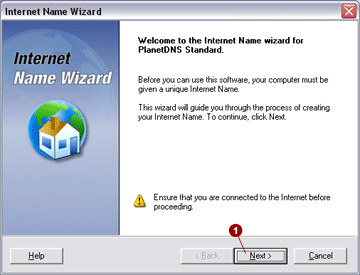
After the first time PlanetDNS Client is launched,
the following dialog will appear. You must create a unique Internet name
for your computer before PlanetDNS Client can be used. To continue, click
the Next  button. button.
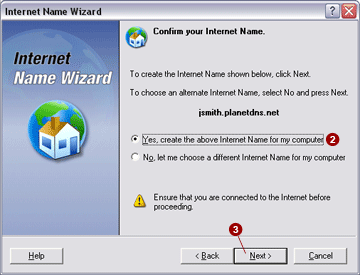
Next, confirm the Internet name that you selected
in the previous dialog. Accept the pre-selected Yes, create the
above Internet Name for my computer  option. To continue,
click the Next option. To continue,
click the Next  button. button.
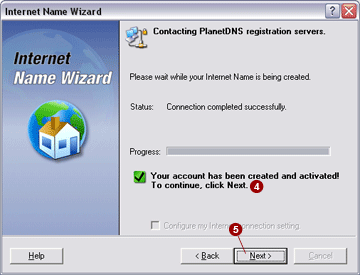
Your Internet Name is being registered and created
on PlanetDNS' registration server. When completed, a message Your
account has been created and activated!  will appear.
To continue, click the Next will appear.
To continue, click the Next  button. button.
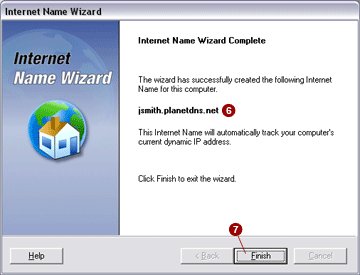
Congratulations, you have successfully created
an Internet/domain name for your
computer! Your computer can now be accessed using the name shown  . Click the Finish . Click the Finish
 button to exit the wizard. button to exit the wizard.
|
|

