 |
|
 |
| |||
|
| |
|
|
|
| |||
|
| |
 |
After you have set your remote login password in PlanetRemote, you will
need to enable the remote control access feature. When remote control
access is enabled, the PlanetRemote
icon in your computer's system tray (bottom right corner of your screen)
will be green
To Enable Remote Control Access
|
|
|
Copyright © 2004 PlanetDNS. All Rights Reserved. |
|
 .
. and select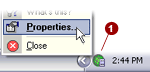
 tab.
tab.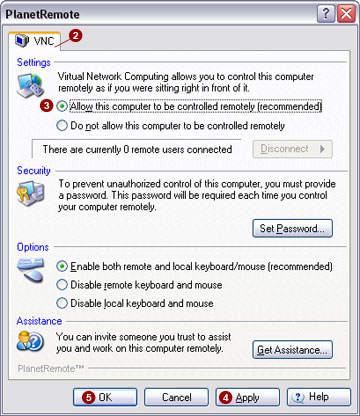
 option.
 button to save the changes.
 button in the