 |
|
 |
| |||
|
| |
|
|
|
| |||
|
| |
 |
You can secure PlanetRemote's settings by requiring users to enter a password to access the software properties.
Password Protecting the Software Properties
The next time you want to access PlanetRemote's software properties, a password dialog will appear. To access the software properties, you will have to enter the password you established in Step 6 above.
|
|
|
Copyright © 2004 PlanetDNS. All Rights Reserved. |
|
 in the system
tray (along the bottom of your screen against the right corner)
in the system
tray (along the bottom of your screen against the right corner)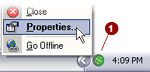
 tab.
tab.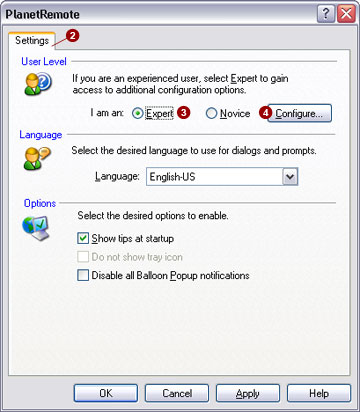
 option.
 button. This will bring up the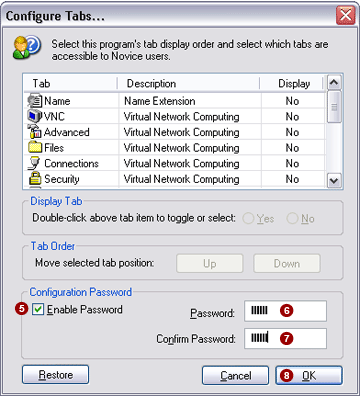
 check box.
  field.
 field.
 button.