|
When you install the software, the installer will ask which components
you want to install. You can choose to install only select components,
by ensuring the adjacent boxes are checked. Additional components can
be added at any time by using the PlanetRemote installer.
To Install Additional Components
Download the same version of PlanetRemote you
are running currently onto your desktop. You can find out which version
you are currently using by clicking on the About
tab in the software properties.
Once the downloading process has been completed,
double-click on the PlanetRemote installer icon you have downloaded on
your deskop.
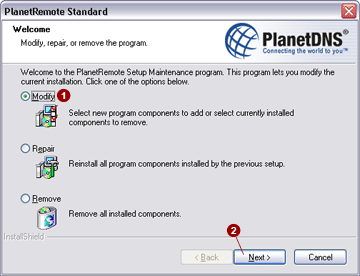
The PlanetRemote installer dialog shown below
will appear. Select the Modify  option and press the Next option and press the Next
 button. button.
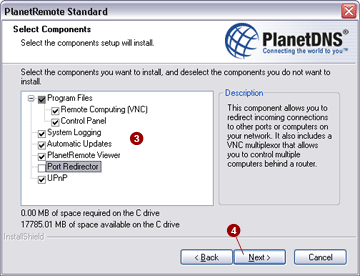
Select Components.
Select the components that you wish to add, or uncheck the boxes adjacent
to components you wish to remove  . To continue, press the
Next . To continue, press the
Next  button. button.
|
|


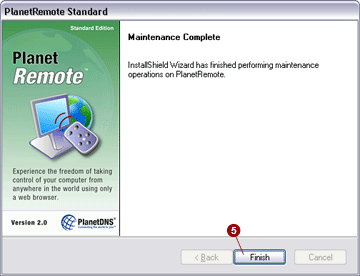
 button.