|
|
 |
| |||
|
| |
|
|
|
| |||
|
| |
 |
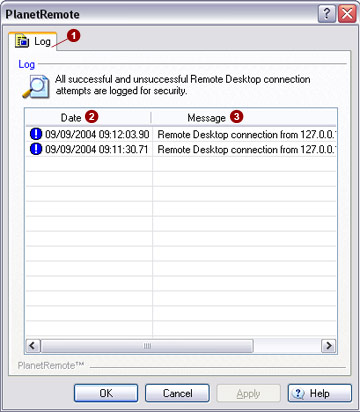
As a security feature, all remote access connections made to the PlanetRemote-enabled computer,
successful and unsuccessful, are logged. The log records the remote computer's
host IP address, and the connection date and time. Log records can be
viewed by accessing the Remote Log
Each time a remote connection is established
on the PlanetRemote-enabled computer, the exact date
and time
|
|
|
Copyright © 2004 PlanetDNS. All Rights Reserved. |
|
 tab.
tab. 
 will be logged. In addition, the remote
connecting computer's host name (if available) and host IP address are
logged in the
will be logged. In addition, the remote
connecting computer's host name (if available) and host IP address are
logged in the  field.