|
|
 |
| |||
|
| |
|
|
|
| |||
|
| |
 |
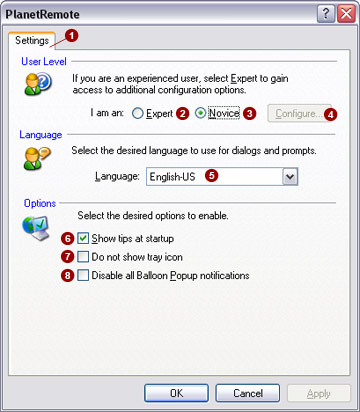
The Settings  tab
allows you to set the software user level, language and additional user
support options. tab
allows you to set the software user level, language and additional user
support options.
User Level PlanetRemote can operate in either of two user modes: Novice or Expert mode. By default, the software is set to Novice mode, which hides advanced tabs and options. In Expert mode, all tabs will be visible.
Options Enable select user support options.
Related Topics
|
|
|
Copyright © 2004 PlanetDNS. All Rights Reserved. |
|