 |
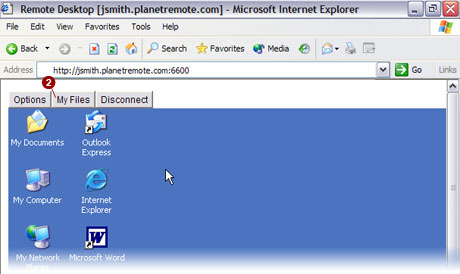
Click on the My Files button to
access the
computer's files, once you have logged on using a web browser.
To Access the Files on the Remote Computer
Login to the PlanetRemote-enabled
computer.
Press the My
Files  tab. tab.
 NOTE:
The My Files button (shown below) can
only be selected if PlanetRemote's file transfer function is enabled.
For further instructions, see Enabling file transfer. NOTE:
The My Files button (shown below) can
only be selected if PlanetRemote's file transfer function is enabled.
For further instructions, see Enabling file transfer.
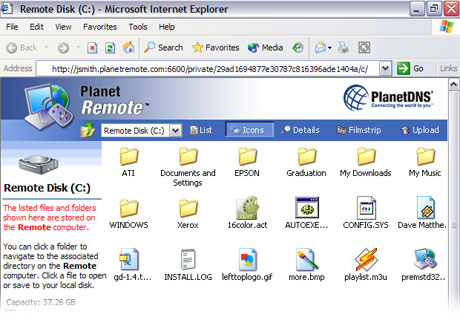
From the My Files
button, another web browser window will appear (shown below), giving you
access to the files and folders on the PlanetRemote-enabled computer.
Related Topics
|
|

