|
|
 |
| |||
|
| |
|
|
|
| |||
|
| |
|
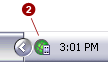
In most cases, PlanetRemote will start automatically each time you logon,
or restart your computer. However, if you do not see the PlanetRemote
green globe icon in the system tray (bottom right corner of your screen),
you will have to start the software manually.
To Start the Software Manually
|
|
|
Copyright © 2004 PlanetDNS. All Rights Reserved. |
|

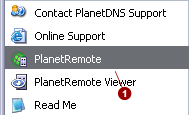
 in the system tray.