|
To set individual station properties
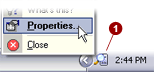
Right-mouse click
on the Planet Remote Viewer icon in the system tray (along the bottome
of your screen against the right corner) and select Properties...

Click on the Connect
 tab. tab.
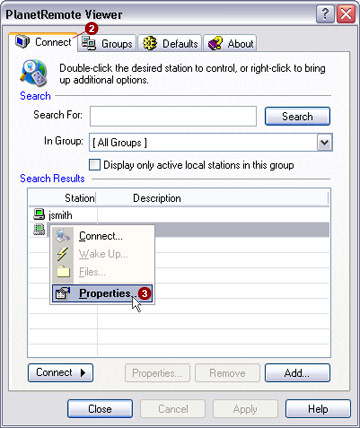
- Select the station you want by right-mouse
clicking on its name and selecting the Properties...
 option from the menu. option from the menu.
- The Properties
tab for the selected station will be shown. Make changes as necessary
and click the Apply button when
finished.
- The next time you want to control the station remotely,
PlanetRemote Viewer will remember the newest settings.
|
|