|
To Download Files from the PlanetRemote-enabled Computer
Login
to the PlanetRemote-enabled computer.
Right-mouse
click on the top bar of the Viewer window
 to open the Properties
menu. to open the Properties
menu.
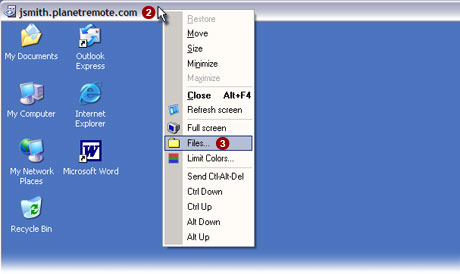
Select the Files...
 option from the menu. option from the menu.
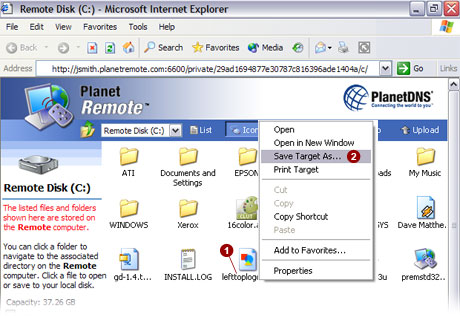
Right-mouse
click  on the file that you wish to download from the PlanetRemote-enabled
computer. on the file that you wish to download from the PlanetRemote-enabled
computer.
From
the menu, select the Save Target As...
option.
Using the pulldown menu , specify
where on your Local computer you want to save the file. By default, the
file will be saved onto the desktop of your Local computer.
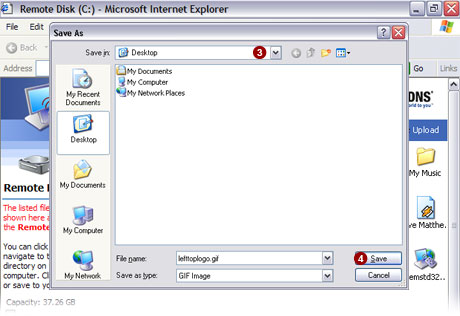
Click the Save
 button to save the file from the PlanetRemote-enabled
computer onto your Local computer. button to save the file from the PlanetRemote-enabled
computer onto your Local computer.
|
|